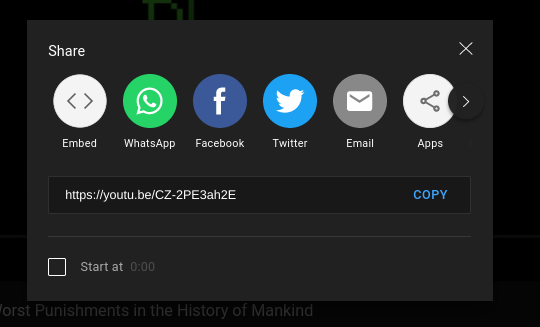
Step 1. The first step is to find the video you'd like to embed into your website. Under video itself, there is a "share" option. Click on the share button.

Ading videos is one of he most common types of multimedia used on a website. However, not every video hosting service allows the upload of all audio and video files, so the traditional HTML5 method is not always available. Fortunately, you can still add videos to a website by embedding them from a video hosting service. This tutorial will explain how to complete this process.
Step 1. The first step is to find the video you'd like to embed into your website. Under video itself, there is a "share" option. Click on the share button.
Step 2. Now that you're into the share section, select the "embed" option, surrounded by the brackets.
Step 3. Now there should be a pop-up of the video and it's options for embedding. These optionsallow you to have player controls, let you choose when to start the video, and whether you'd like to enable enhanced privacy mode. Select the player controls checkbox, and then click copy.
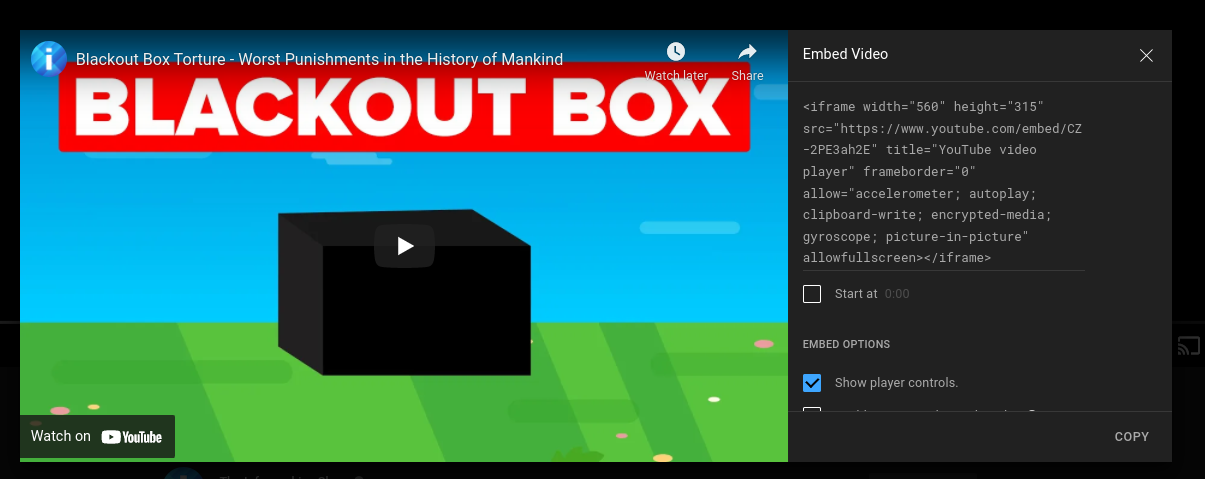
Step 4. Paste the video into your code.

Here is an example of the finished product of an embedded video.